
Search engine optimization isn’t just about writing great content or earning backlinks. Even the best content can struggle to rank if search engines can’t efficiently crawl, understand, and index your website.
That’s where technical SEO comes in.
Technical SEO focuses on optimizing the technical foundation of your website so search engines can access, interpret, and rank your pages more effectively. While it often sounds intimidating, most technical improvements are practical, measurable, and have long-term benefits for both search engines and visitors.
In this guide, you’ll learn what technical SEO is, why it matters, the most important fixes to prioritize, and common mistakes that prevent websites from reaching their ranking potential.
What Is Technical SEO?
Technical SEO is the process of optimizing your website’s infrastructure so search engines can crawl, index, and understand your content efficiently.
Unlike on-page SEO, which focuses on content and keywords, or off-page SEO, which focuses on authority and backlinks, tech SEO ensures the website itself isn’t creating barriers for search engines.
A technically healthy website typically offers:
- Fast loading pages
- Secure HTTPS connections
- Mobile-friendly design
- Clear site architecture
- Proper indexing
- Structured data
- Minimal crawl errors
Think of technical SEO as building strong foundations before decorating a house. Without a solid structure, everything built on top becomes less effective.
Why Technical SEO Matters for Rankings
Google wants to provide users with the best possible experience. If your website is difficult to crawl, slow to load, or filled with technical errors, search engines may not fully understand or trust your content.
Good technology SEO helps by:
- Improving crawl efficiency
- Increasing indexation of important pages
- Reducing duplicate content issues
- Enhancing page experience
- Supporting better Core Web Vitals
- Helping search engines understand page relationships
Technical improvements won’t automatically push a page to the top of Google, but they remove obstacles that may be limiting your site’s performance.
How Search Engines Crawl Your Website
Before understanding technical fixes, it helps to know how search engines work.
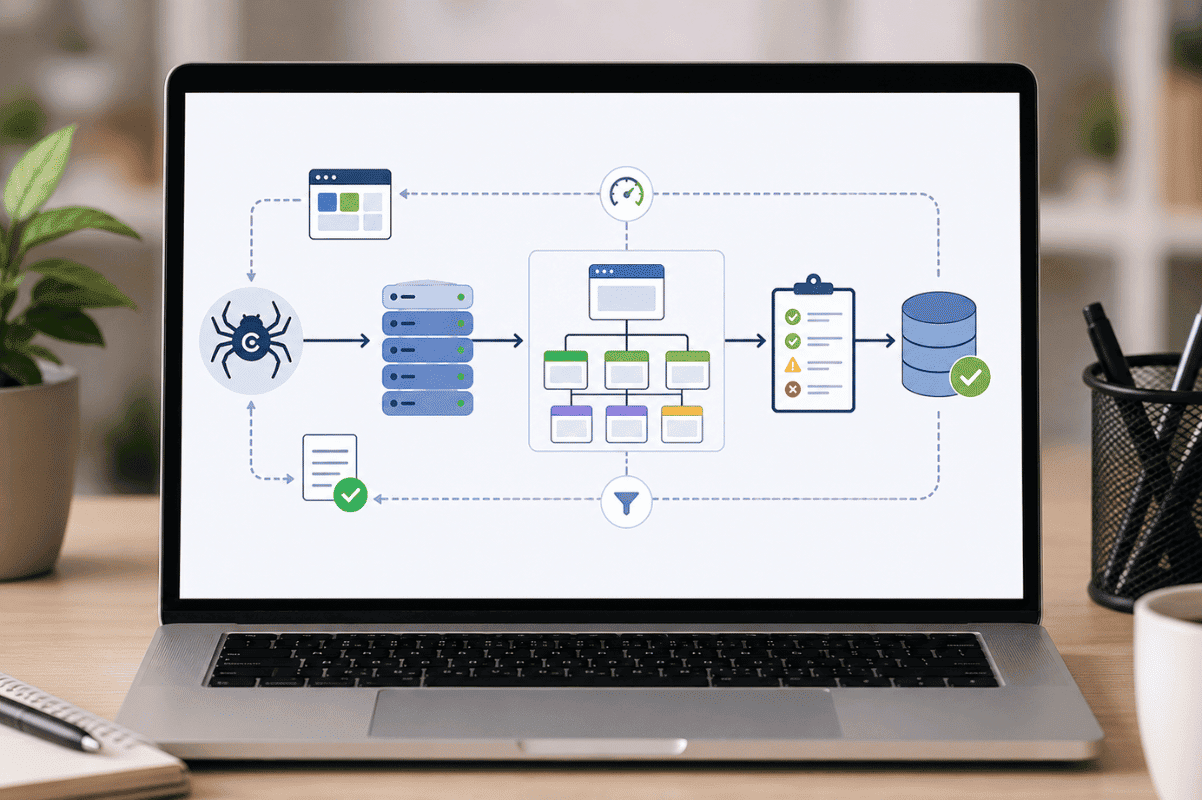
The process generally follows three steps:
Crawling
Search engine bots discover pages by following links, sitemaps, and previous crawl data.
Indexing
Once a page is crawled, Google evaluates whether it should be stored in its index.
Ranking
Indexed pages compete for visibility based on hundreds of ranking signals, including relevance, authority, usability, and quality.
If crawling or indexing fails, rankings become impossible regardless of content quality.
Essential Technical SEO Fixes That Improve Crawlability
1. Build a Clear Website Structure
A logical site structure helps both users and search engines.
A well-organized website:
- Groups related topics together
- Uses descriptive URLs
- Minimizes unnecessary clicks
- Makes important pages easy to find
Ideally, users and search engines should reach valuable pages within a few clicks from the homepage.
2. Improve Internal Linking
Internal links guide crawlers throughout your website.
Strong internal linking helps:
- Discover new pages
- Pass authority between pages
- Establish topic relevance
- Improve user navigation
Avoid orphan pages that have no internal links pointing to them.
3. Submit an XML Sitemap
An XML sitemap provides search engines with a roadmap of important pages.
A sitemap should:
- Include canonical URLs
- Exclude unnecessary pages
- Update automatically when new content is published
Although Google can often discover pages naturally, a sitemap makes the process more efficient.
4. Optimize Your Robots.txt File
Your robots.txt file tells search engines which sections of your website should or shouldn’t be crawled.
Common mistakes include:
- Blocking important pages
- Accidentally blocking CSS or JavaScript files
- Preventing search engines from accessing critical resources
Always review robots.txt carefully after website updates.
5. Fix Crawl Errors
Google Search Console reports crawl issues such as:
- 404 errors
- Server errors
- Redirect loops
- Blocked resources
Regularly monitoring these reports helps ensure search engines continue accessing your content properly.
6. Improve Website Speed
Page speed affects both user experience and crawling efficiency.
Large images, excessive scripts, and poor hosting can slow a website significantly.
Some practical improvements include:
- Compressing images
- Enabling browser caching
- Using modern image formats
- Reducing unnecessary plugins
- Minifying CSS and JavaScript
- Using a content delivery network (CDN)
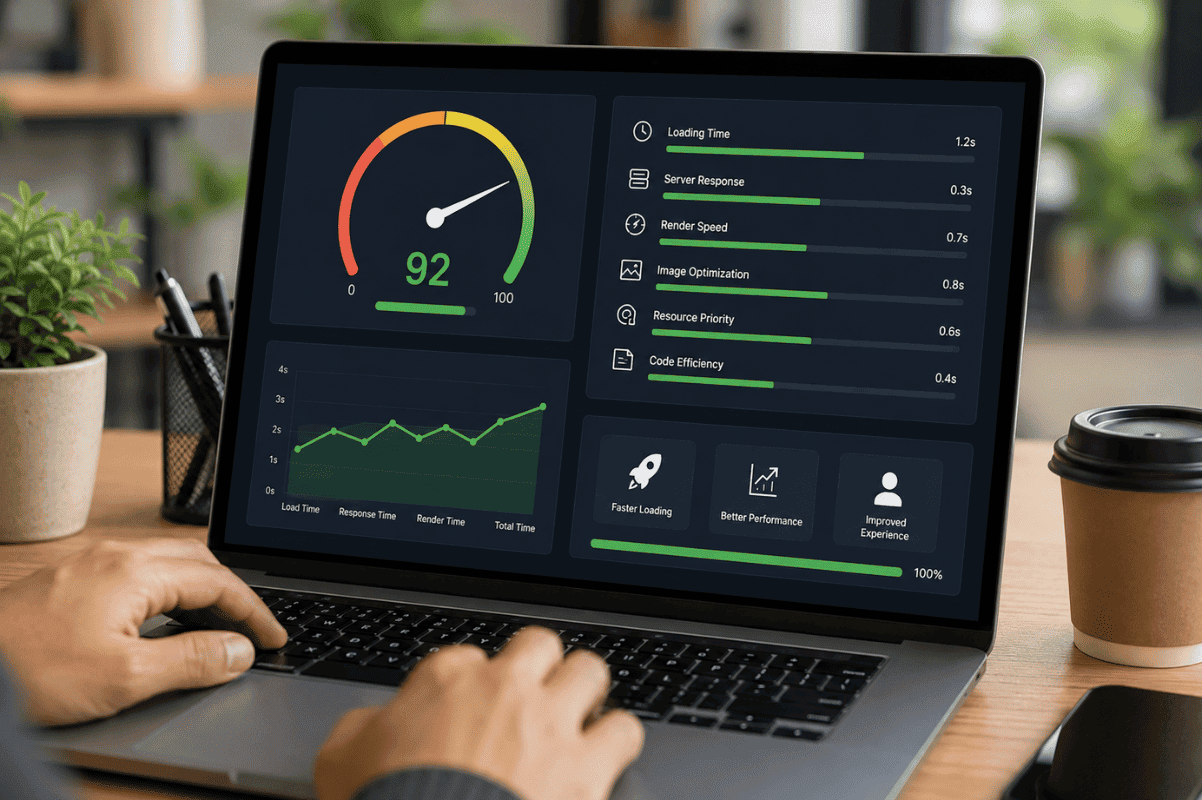
Faster websites often experience better engagement and lower bounce rates.
7. Optimize Core Web Vitals
Core Web Vitals measure real-world user experience.
The primary metrics include:
- Largest Contentful Paint (LCP)
- Interaction to Next Paint (INP)
- Cumulative Layout Shift (CLS)
Improving these metrics helps create a smoother browsing experience while supporting your overall technical SEO strategy.
8. Make Your Website Mobile Friendly
Google primarily uses mobile-first indexing.
That means Google evaluates the mobile version of your website before the desktop version.
Ensure:
- Responsive layouts
- Readable font sizes
- Proper button spacing
- Fast mobile loading
- Easy navigation
Poor mobile usability can negatively affect both users and search visibility.
9. Secure Your Website with HTTPS
HTTPS protects user data and builds trust.
Modern browsers warn visitors when websites aren’t secure, which can reduce confidence and increase bounce rates.
Most websites today should use HTTPS across every page.
10. Use Canonical Tags Correctly
Duplicate content isn’t always harmful, but it can confuse search engines.
Canonical tags indicate the preferred version of similar pages.
Examples include:
- Product variations
- Filtered category pages
- URL parameters
- Printer-friendly pages
Proper canonicalization helps consolidate ranking signals.
11. Implement Structured Data
Structured data helps search engines better understand your content.
Depending on your website, you may use schema for:
- Articles
- Products
- FAQs
- Reviews
- Organizations
- Local businesses
While structured data doesn’t guarantee rich results, it increases eligibility for enhanced search listings.
12. Eliminate Broken Links
Broken internal links create poor user experiences and waste crawl resources.
Regular audits help identify:
- Broken navigation links
- Missing images
- Outdated redirects
- Deleted pages
Fixing these issues keeps your website healthy and easier to crawl.
Common Technical SEO Mistakes
Many websites unknowingly create technical problems during redesigns or migrations.
Some of the most common issues include:
- Blocking important pages from indexing
- Using endless redirect chains
- Creating duplicate URLs
- Ignoring crawl errors
- Publishing slow-loading pages
- Missing XML sitemaps
- Poor internal linking
- Broken canonical tags
- Unoptimized mobile experiences
Routine technical audits help identify these issues before they affect rankings.
Technical SEO Tools Worth Using
Several reliable tools make technical audits much easier.
Popular options include:
- Google Search Console
- Google PageSpeed Insights
- Screaming Frog SEO Spider
- Google Rich Results Test
- Lighthouse
- Bing Webmaster Tools
These tools can uncover indexing issues, crawl errors, performance bottlenecks, and structured data problems.
How Often Should You Perform a Technical SEO Audit?
Technical SEO isn’t a one-time task.
A good schedule looks like this:
Monthly
- Review crawl errors
- Check indexing reports
- Monitor Core Web Vitals
Quarterly
- Audit internal links
- Review redirects
- Validate structured data
After Major Website Changes
Always perform a full technical audit after:
- Website redesigns
- CMS migrations
- URL structure changes
- Hosting changes
- Large content updates
This helps catch issues before they impact organic traffic.
Technical SEO and Backlinks Work Best Together
Technical SEO creates the foundation for search visibility, while quality backlinks strengthen your site’s authority.
Think of it this way:
- Technical SEO ensures Google can crawl and understand your pages.
- Content provides value to users.
- Backlinks demonstrate credibility and trust.
Neglecting any one of these areas limits your overall SEO potential.
Businesses looking to strengthen their organic growth often combine a strong technical foundation with ethical link-building strategies to maximize long-term results.
Technical SEO may happen behind the scenes, but its impact is highly visible in search performance. Improving crawlability, fixing indexing issues, speeding up your website, and maintaining a clean technical structure all make it easier for search engines to discover and rank your content.
The best part is that many technical improvements continue delivering value long after they’re implemented.
If you’ve invested time in creating quality content, don’t let technical issues hold it back. A comprehensive technical audit, combined with a thoughtful SEO strategy and authoritative backlinks, can unlock stronger long-term organic growth. At buybacklinks, we believe the best SEO results come from combining solid technical foundations with high-quality link-building efforts that support sustainable rankings.
Frequently Asked Questions
1. What is technical SEO in simple terms?
Technical SEO involves improving the technical aspects of a website so search engines can crawl, index, and understand it more efficiently, helping support better organic visibility.
2. Does technical SEO improve Google rankings?
Technical SEO doesn’t guarantee higher rankings on its own, but it removes barriers that may prevent your content from being crawled, indexed, and evaluated correctly.
3. How is technical SEO different from on-page SEO?
Technical SEO focuses on website infrastructure, such as speed, indexing, and crawlability. On-page SEO focuses on content, keywords, headings, and user relevance.
4. How often should technical SEO be audited?
Most websites benefit from a technical SEO audit every three to six months, with additional checks after major website updates or migrations.
5. Which technical SEO issue should I fix first?
Start by addressing indexing problems, crawl errors, slow page speed, mobile usability issues, and broken internal links, as these can have the greatest impact on search performance.
